
WordPress vs Custom Website: An Honest Decision Guide for 2026
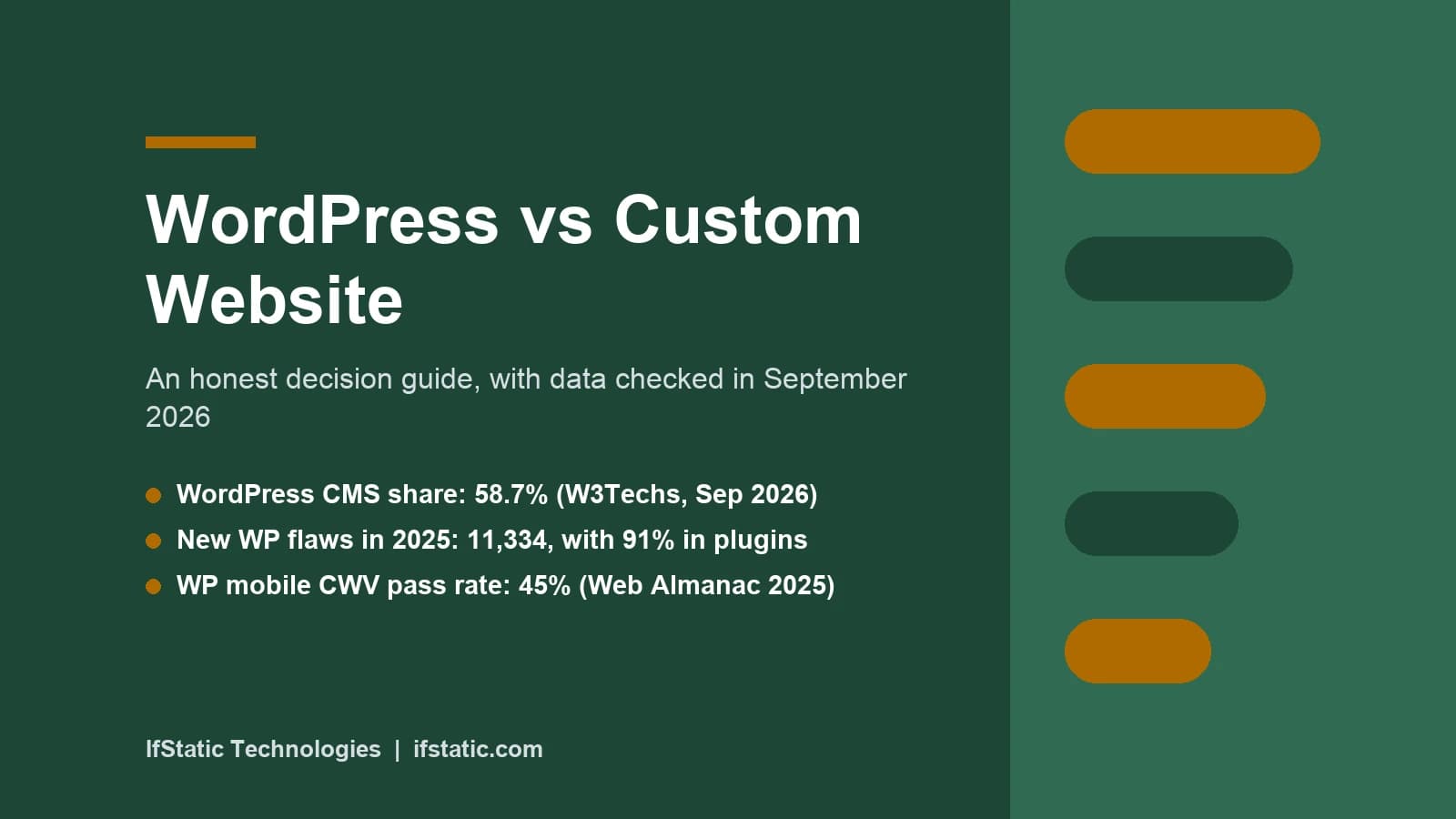
WordPress vs custom website is really a question about what your site has to do. If it mostly publishes pages, posts or products, WordPress usually gets you live faster and for less money. If the site is itself the product, with user accounts and custom logic, a custom build tends to repay its higher cost. We build both, including through our WordPress design service, so this guide has no side to sell.
Below you will find figures checked this week, a worked cost example in rupees, a middle path called headless WordPress, and plain right fit and wrong fit verdicts. The later sections map five common business types to the option that usually suits them, so you can walk into any agency meeting with a clear, realistic brief.
Key Takeaways
- WordPress runs 40.2% of all websites and 58.7% of sites with a known content management system, according to W3Techs on 25 September 2026.
- Most WordPress risk sits in add-ons: Patchstack counted 11,334 new vulnerabilities in 2025, with 91% in plugins and only 6 in core.
- Only 45% of WordPress sites passed Core Web Vitals on mobile in the 2025 Web Almanac, although a lean, well-hosted build can do far better.
- A custom build costs more up front and needs its own administration panel, yet it carries only the code your business actually uses.
- Headless WordPress, where WordPress stores content and a separate front end displays it, suits teams that need easy editing and app-like speed together.
What Each Option Really Means
Before comparing anything, it helps to agree on definitions, because agencies use the word custom loosely and some sell a themed WordPress site as a custom one. Here is how this guide uses each of the four terms.
Classic WordPress is free, open-source software released under the GPLv2 licence, which you install on hosting you choose and extend with themes and plugins. A page builder such as Elementor lets people who do not write code change layouts, and WooCommerce turns the site into an online store. ACF adds structured fields for details like team members, doctors or property listings.
A custom website is written specifically for your project in a general-purpose framework rather than a content management system. A typical stack combines React or Next.js on the front end with Node.js or Laravel behind it, plus a database such as MySQL or MongoDB. Nothing exists until someone builds it, including the administration screens your staff will use every day.
A headless or hybrid setup splits the two jobs between separate systems. WordPress stays as the editing back end, while a separate front end, often built in Next.js, fetches the content and displays it. It gets its own section below, because it is the sensible answer more often than people expect.
Hosted builders such as Shopify, Wix and Squarespace are a fourth route, where you rent the platform and never manage a server. The catch is that you cannot take the finished site and run it on your own hosting. They sit outside the main comparison, although they still receive a verdict later in this guide.
How Widely Each Option Is Used
WordPress is still the default choice on the web by a wide margin. On 25 September 2026, W3Techs reported that WordPress runs 40.2% of all websites and 58.7% of sites using a content system it can detect. Several articles ranking for this topic still quote an older, higher figure, so always check the date on any market share number you read.
| Platform (W3Techs, 25 Sep 2026) | Share of all websites | Share of sites with a known CMS |
|---|---|---|
| WordPress | 40.2% | 58.7% |
| Shopify | 5.4% | 7.8% |
| Wix | 4.2% | 6.2% |
| Squarespace | 2.4% | 3.6% |
| Joomla | 1.1% | 1.6% |
| None of the systems W3Techs tracks | 31.5% | Not applicable |
The final row matters for this comparison. About a third of sites use no content system that W3Techs tracks, a group that includes hand-coded and custom-built sites along with rarer platforms. Custom development is therefore not a fringe choice; it is simply harder to count, because every custom site is different. HTTP Archive's own crawl, covered in the speed section, puts WordPress at roughly 64% of CMS-driven sites.
WordPress vs Custom Website Compared on Nine Factors
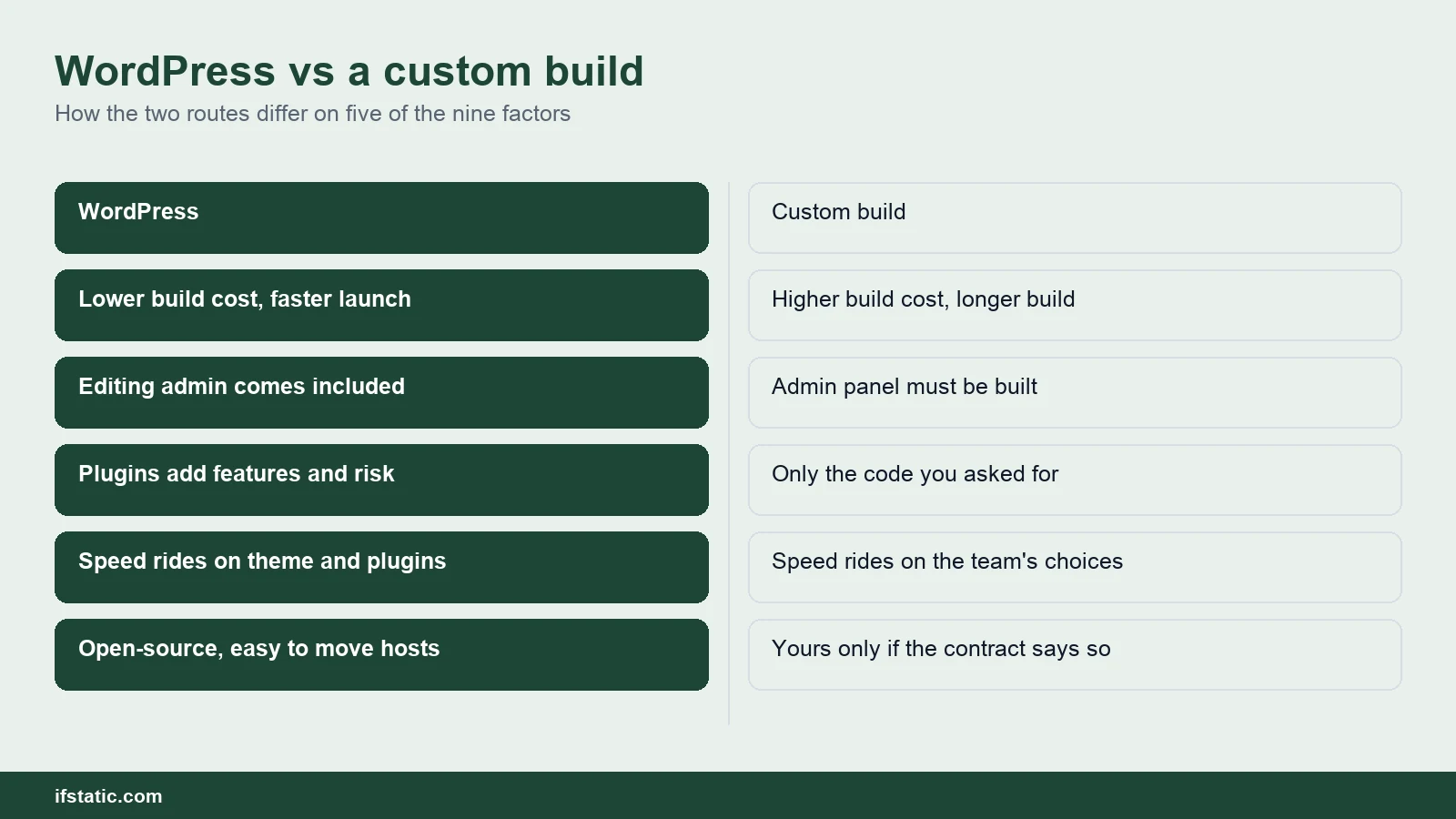
The table below gives the short version of the WordPress vs custom website trade-off across nine factors. The sub-sections that follow explain each row, using figures where a trustworthy source exists and a clearly labelled estimate where one does not.
| Factor | WordPress | Custom website |
|---|---|---|
| Cost to build and run | Lower to build; yearly plugin licences and updates | Higher to build; developer time for code and server upkeep |
| Time to launch | Weeks for a standard business site | Several times longer for the same scope |
| Speed and Core Web Vitals | Can be fast, but themes and plugins add weight | Can be very fast if rendered on the server |
| Security | Solid core; most risk sits in plugins and themes | Smaller public target; your own bugs are yours to find |
| SEO | Mature plugins handle titles, sitemaps and schema | Everything is built by hand, but nothing is in the way |
| Scalability | Fine for content and stores with caching | Best for heavy logic, many users and live data |
| Content editing | Familiar admin, easy to train staff | Only as good as the admin panel you pay for |
| Ownership and lock-in | Open-source and portable between hosts | You own it only if the contract and code repository say so |
| Maintenance | Frequent updates to core, theme and plugins | Less frequent but deeper framework and server upgrades |
Cost to Build and Run
WordPress is cheaper to build because much of the website already exists before your project starts. A theme supplies layouts, a builder supplies visual editing, and plugins supply forms, SEO settings and caching. A custom build starts from an empty folder, so your team must write the pages, the administration screens and the deployment process.
Here is a worked example for a ten-page business website with a blog and an enquiry form. The hours are planning estimates rather than a quote, and the rate of ₹1,000 an hour is an assumption chosen to keep the arithmetic simple. Real rates vary widely by city, team experience and project scope.
| Line item (10-page site, estimate) | WordPress with theme and builder | Custom build in Next.js or Laravel |
|---|---|---|
| Design and build hours | 40 to 80 | 120 to 250 |
| Build cost at an assumed ₹1,000 an hour | ₹40,000 to ₹80,000 | ₹1,20,000 to ₹2,50,000 |
| Admin panel for editing | Comes with WordPress | Built, or added as a headless CMS |
| Example yearly plugin licences | ACF PRO $49 plus WP Rocket $59.95 | Usually none; paid APIs may apply |
| Monthly upkeep (estimate) | 2 to 4 hours of updates and checks | 2 to 6 hours of package and server work |
Plugin licences are a genuine running cost that many quotations quietly skip. ACF PRO lists its single-site plan at $49 a year, and WP Rocket lists $59.95 a year for one website. Both are billed in US dollars, so the rupee cost moves with the exchange rate. Neither plugin is compulsory, but many business builds depend on paid add-ons like these.
The lesson is not that custom development is overpriced. With custom code you pay for exactly the functionality you need, including several parts that WordPress hands you free. For a fuller breakdown of rupee ranges by website type, read our guide to website development cost in India.
Time to Launch
Time follows cost closely. At 40 to 80 hours, one developer can finish the WordPress build in roughly one to two working weeks. A custom build at 120 to 250 hours needs about three to six weeks of the same effort. Content preparation, feedback rounds and bug fixes then stretch both calendars further.
Content is the hidden delay on both routes, since projects often wait longer for final text and photographs than for code. If you must launch before a festive sale or a funding round, WordPress removes most of the development risk from the calendar.
Speed and Core Web Vitals
Core Web Vitals are Google's field measurements of loading, responsiveness and visual stability, collected from real Chrome users. The 2025 Web Almanac CMS chapter from HTTP Archive found that only 45% of WordPress sites passed all three on mobile. Duda led at 85%, and Wix had improved from 55% to 74%.
The same chapter gives WordPress a median mobile Lighthouse performance score of 41, compared with 64 for Wix, and it shows where the weakness lies. Only 53% of WordPress sites achieved a good loading score on mobile, while layout stability stood near 84%. In plain terms, WordPress pages tend to load slowly rather than jump around.
Why the slow loading? A typical WordPress page loads a theme, a page builder and several plugins, each bringing its own scripts and stylesheets. That weight is a decision, not a law of nature. A lean theme, a short plugin list, decent hosting and a caching tool can produce a genuinely fast WordPress site, but many sites never receive that attention.
There is no matching figure for custom websites, because they are not a single platform that anyone can measure. A server-rendered Next.js site that ships little JavaScript can be extremely fast. A heavy React application that builds every page inside the browser can be slower than an average WordPress site, so judge a team by its live work.
- Ask for PageSpeed Insights field data on at least two live websites the team has built recently.
- Count the plugins and third-party scripts that load on the home page, including chat widgets and trackers.
- Check that images are resized, served in a modern format such as WebP, and lazy-loaded below the fold.
- Confirm the server sits reasonably close to your visitors in India, or that a CDN sits in front of it.
Security and Plugin Risk
WordPress core itself is well maintained, and the real exposure lives in the add-ons installed on top of it. Patchstack's 2026 security report counted 11,334 new vulnerabilities in the WordPress ecosystem during 2025, a 42% increase on 2024. Of these, 91% were in plugins and 9% in themes, while only 6 affected WordPress core.
Two further findings shape the real-world risk for business owners. 46% of the vulnerabilities were still unpatched when they became public, and for heavily targeted flaws the weighted median time to first exploit was 5 hours. The hosting defences Patchstack tested blocked only 26% of attacks, so relying on your hosting company alone is not a security plan.
A custom website avoids that shared target, because attackers scan millions of sites for known plugin flaws and your code is not on their list. Custom does not automatically mean secure, though. Your developers write their own login, forms and file uploads, and a mistake there has no community patch. Custom stacks also depend on open-source packages that need regular updates.
If you choose WordPress, these are the security basics we would insist on from the first day:
- Keep only the plugins you genuinely need, and delete unused ones instead of simply deactivating them.
- Prefer plugins with recent updates, a large number of active installations and a responsive support forum.
- Allow automatic minor updates, and test major updates on a staging copy before they reach the live site.
- Add a firewall such as Wordfence Security, together with daily backups stored away from the server.
- Use strong passwords, two-factor login and the smallest possible number of administrator accounts.
SEO and Search Visibility
Neither option ranks better by default, because Google ranks individual pages rather than platforms. WordPress makes the fundamentals easy: plugins such as Yoast SEO manage titles, meta descriptions, XML sitemaps and schema markup, and editors can adjust them without a developer.
A custom website must build each of those features deliberately, including redirects, canonical tags and structured data. The larger risk is JavaScript. Google's JavaScript SEO guide explains that Googlebot crawls, renders and then indexes such pages. It also notes that server-side or pre-rendering "is still a great idea" because not all bots can run JavaScript.
A custom marketing site should therefore send complete HTML from the server. Next.js does this by default, since its pages are Server Components unless a developer marks them otherwise. A single-page React application that shows content only after scripts run is a poor foundation for search, so pair either route with steady content and technical SEO work.
Scalability Under Real Load
WordPress handles more traffic than its reputation suggests, because page caching and a CDN let most business pages be served as static files. It strains under custom logic, such as complex pricing, vendor payouts, live chat or many logged-in users who each see different data. In those cases every visit reaches PHP and the database, and caching helps far less.
Custom development shines here, because you design the data model around your business rather than around posts and pages. Heavy jobs can move to background workers, and individual parts of the system can scale independently. That is why our BookMyPlay futsal field app belongs to our app development work rather than our WordPress work.
Content Editing for Your Team
This is where WordPress wins for most organisations. Staff can publish a blog post, change a price or replace a banner without calling anyone, and the block editor and builders like Elementor feel familiar to most marketers. Training usually takes an afternoon rather than a week.
On a custom website, editing is only as good as the administration panel you pay for. A basic panel may let you change text but not rearrange a page, so ask to see the admin screens during the design stage rather than after launch. If your marketing team publishes daily, budget for a proper editor or connect a headless CMS.
Ownership and Lock-in
WordPress is open-source, so you can move a site to another host or another agency whenever you like. Lock-in creeps in through tools instead. Pages made in a page builder store their layout in that builder's own format, so leaving it often means rebuilding pages. Paid plugins such as WP Rocket also need an active licence to keep receiving updates.
With a custom website, the risk comes from the agency rather than the software. If the code repository, hosting account and domain are not registered in your name, you may not truly own the site you paid for. Before you sign a contract, check each of the following points.
- The contract assigns the source code and design files to your company once the final payment clears.
- The Git repository sits in your company account, with the agency added as a collaborator.
- Hosting, the domain and every third-party API key are registered to an email address you control.
- A short README explains how to install, build and deploy the project on a fresh server.
- Framework and package versions are documented, so another development team can take over smoothly.
Hosted builders carry the strongest lock-in of all, since you cannot run a Wix or Shopify site on your own server. That can be perfectly acceptable for a small shop, but it is a trade-off to accept with open eyes.
Maintenance Over the Years
WordPress needs regular care, because core, theme and plugins all ship updates, and some of them fix flaws that attackers exploit within hours. Plan for weekly checks, tested updates and off-site backups. A neglected WordPress installation is the one most likely to be compromised, whatever the quality of the original build.
Custom websites need attention less often, but deeper skill when they do. Node.js, Laravel and React all release new major versions, packages gradually age out, and servers need operating system patches. Skip this work for a few years and a small upgrade can become a partial rebuild, so on either route set a yearly maintenance budget and name its owner.
Headless WordPress: The Hybrid Middle Path
Headless WordPress keeps the part people like, the editor, and removes the part that often slows sites down, the theme. The WordPress REST API handbook describes an interface that sends and receives site data as JSON, so completely separate applications can use the content. A front end built in Next.js calls that API and renders fast pages.
Editors keep writing in the dashboard they already know, while developers gain full control of the front end. The same content can feed a website and a mobile application at once. The price is complexity: you now operate two systems, and plugins that change the front end, such as page builders, stop working the way they did. In effect, it turns the WordPress vs custom website choice from either-or into both.
- Right fit: content-heavy brands that need app-like speed on every page, including category and article pages.
- Right fit: a website and a mobile app that should share one content source and one editorial team.
- Right fit: companies with React developers on staff and a marketing team that already lives in WordPress.
- Wrong fit: a small business website on a tight budget, where running two systems doubles the upkeep.
- Wrong fit: a site that depends on Elementor layouts or other front-end plugins working out of the box.
Right Fit and Wrong Fit Verdicts for Each Option
Here are plain verdicts for the three remaining routes. Read the wrong fit lines first, because avoiding a mismatch usually saves more money than any right fit earns.
Classic WordPress suits most small and mid-sized businesses whose website markets what they sell, rather than being the thing they sell.
- Right fit: brochure sites, blogs, resource hubs and WooCommerce stores with a standard checkout flow.
- Right fit: teams who want to update content every day without waiting for a developer.
- Right fit: launches with a fixed date, a modest budget and a clear list of standard features.
- Wrong fit: products with complex user roles, private dashboards or live data that changes constantly.
- Wrong fit: owners who will not pay for updates, because an unpatched WordPress site becomes a liability.
For a real example, the Clotouch POS software website in our portfolio is a WordPress project. It markets a software product through content pages, which is exactly the kind of job WordPress handles well.
A custom website suits businesses whose website is the product itself, or whose requirements no existing plugin covers properly.
- Right fit: SaaS products, customer portals, marketplaces and anything where the website is the business.
- Right fit: brands with strict performance or design requirements that a ready-made theme would fight.
- Right fit: companies with clear requirements and a realistic budget for ongoing development after launch.
- Wrong fit: a first website for a new business that is still testing its offer and pricing.
- Wrong fit: teams that publish content daily but have not budgeted for a genuinely usable admin panel.
Hosted builders suit the smallest projects, where convenience matters more than control or long-term flexibility.
- Right fit: a solo founder or small shop that wants no server administration at all.
- Right fit: a simple store whose needs fit the platform's built-in checkout and apps.
- Wrong fit: businesses that need deep custom integrations or complete ownership of their code.
A useful rule of thumb: if you can describe every feature with the name of an existing plugin, start on WordPress. If half your features need a full sentence to explain, get a custom estimate as well.
WordPress vs Custom Website by Business Type
Most businesses fall into one of five broad types. The table gives the usual right fit for each, the reason behind it, and the setup we would avoid. Treat this WordPress vs custom website map as a starting point, then adjust it for your own budget and team.
| Business type | Usual right fit | Why | Wrong fit |
|---|---|---|---|
| Brochure or service site | WordPress with a lean theme | Cheap, quick to launch, easy to edit | A full custom build, unless the design itself is the product |
| Blog or content site | WordPress, or headless WordPress at scale | Strong editor and mature SEO plugins | A single-page React app with no server rendering |
| WooCommerce store | WordPress with WooCommerce and a local payment plugin | Mature catalogue, payment and shipping add-ons | A cart built from zero for a standard shop |
| Multi-vendor marketplace | Custom build, or WooCommerce plus custom code for an early test | Vendor payouts, commissions and search need custom logic | Stacking many marketplace plugins with no developer on call |
| SaaS product or web app | Custom build in React or Next.js with Node.js or Laravel | Logins, billing and dashboards are the product | WordPress with membership plugins as the core app |
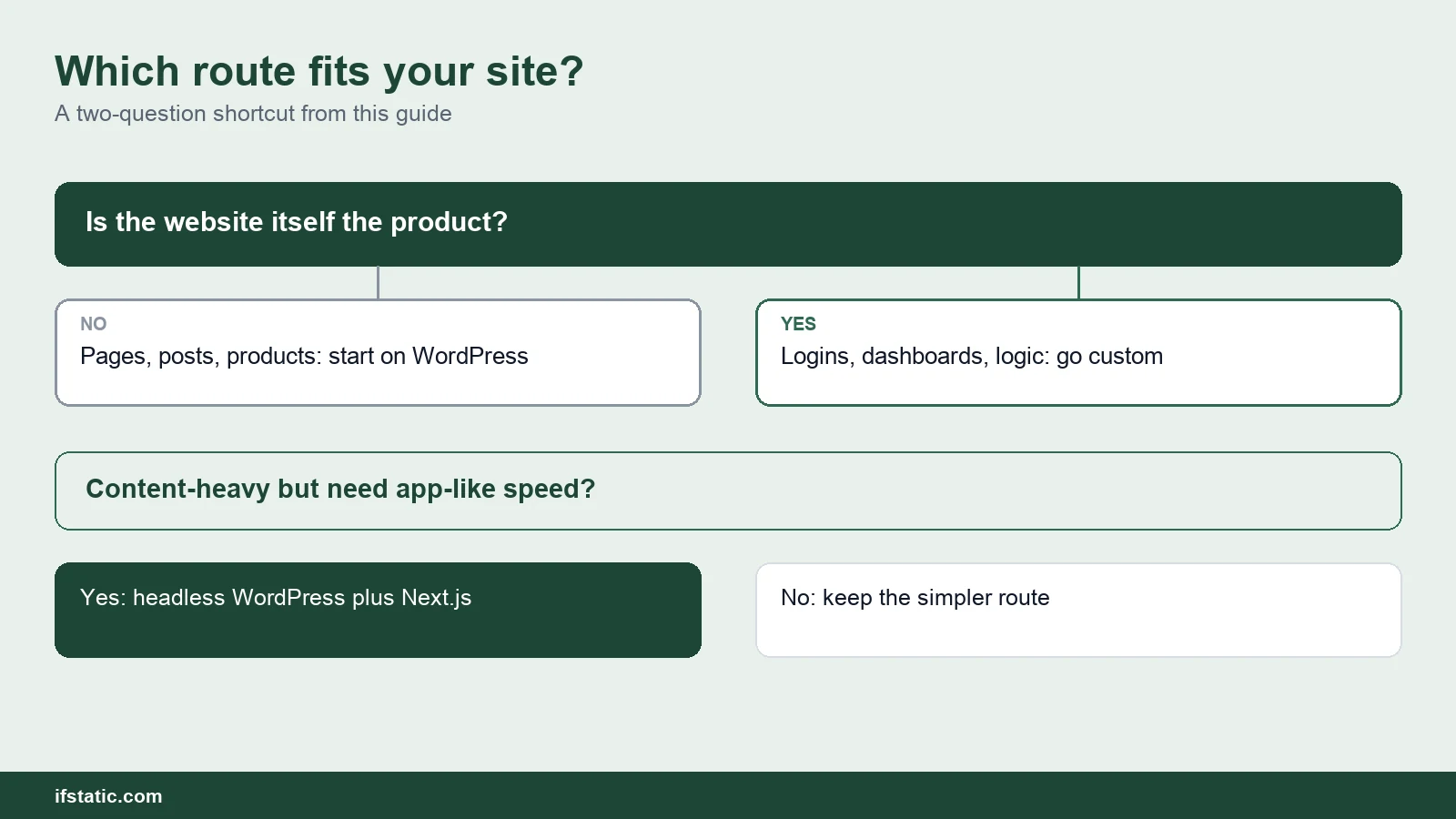
Two common cases fall between the rows. A school, clinic or property firm with listings and an enquiry flow fits WordPress with ACF fields comfortably. A startup testing a marketplace idea can begin on WooCommerce and move to custom code once the model is proven. Our MVP development guide explains how to scope that first version.
How to Decide in One Meeting
You do not need a long study to settle the WordPress vs custom website question. Answer these five questions honestly, ideally together with whoever will run the website after launch.
- Is the website the product, or does it market a product? If it is the product itself, lean towards a custom build.
- Who will edit content, and how often? Daily edits by non-developers favour classic or headless WordPress.
- What must the site do that no existing plugin can? If that list is long, custom development becomes cheaper over time.
- What is your budget for the first two years rather than just the launch? Include licences, hosting and maintenance.
- Who will maintain the site after launch? A named person or agency with a monthly plan matters more than the platform.
If your answers point both ways, that is perfectly normal. Many successful projects start on WordPress and move specific features to custom code as the business grows, using the REST API to connect the two. The expensive mistake is choosing on fashion, whether that means a custom build nobody can edit or a WordPress site stretched into an application.
At IfStatic we build on both routes. Our WordPress projects use Elementor, WooCommerce and ACF, and our custom builds use React, Node.js and Laravel through our website development service. In our view, the right recommendation is the smallest build that meets your goals.
Conclusion
The WordPress vs custom website decision comes down to one principle: match the build to the job the website must do. WordPress is the sensible default for brochure sites, blogs and standard online stores, provided someone keeps it updated. Custom development earns its higher cost when the website is the product, and headless WordPress sits between the two for teams that need both.
If you would like a second opinion on your own project, send your feature list and budget through our contact page. Ask for a route recommendation alongside the quotation, and ask the team to explain the reasoning behind it.
Frequently Asked Questions
Is WordPress cheaper than a custom website?
Usually, yes, at least for the initial build. A theme, a page builder and a handful of plugins cover much of the work, so fewer development hours go into the first version. Running costs are closer than most people expect, because WordPress needs paid licences and regular updates while custom sites need developer time. Compare two-year totals rather than launch prices before deciding.
Is a custom website more secure than WordPress?
It avoids the plugin vulnerabilities that attackers scan for across millions of WordPress sites, which is a genuine advantage. It is not secure by default, though, because custom login pages, forms and uploads can contain their own bugs with no community patch. A well-maintained WordPress site with few plugins can be safer than a neglected custom one.
Which is better for SEO, WordPress or a custom site?
Neither ranks better on its own. WordPress makes on-page SEO straightforward through plugins, and editors can fix titles and meta descriptions without help. A custom site can match it if it sends complete HTML from the server and includes sitemaps, schema and redirects from the first day. Content quality and page speed matter far more than the platform.
Can I move from WordPress to a custom website later?
Yes. Posts, pages and media can be exported, and URLs can be preserved or redirected to protect existing rankings. A gentler path is going headless first, keeping WordPress as the editor while a new front end reads its content through the REST API. Page builder layouts usually need rebuilding whichever path you choose.
What is headless WordPress in simple terms?
It is WordPress used only as the place where you write and store content. A separate front end, often built with Next.js, fetches that content and presents it to visitors. You keep the familiar editor and gain control over speed and design, but you operate two systems, so setup and maintenance cost more than classic WordPress.
Is WordPress good enough for an online store in India?
For most standard stores, yes. WooCommerce is a free, open-source ecommerce plugin, and Razorpay publishes an official payment gateway plugin for it. Once you need vendor payouts, complex pricing rules or very large traffic spikes, plan for substantial custom development or a fully custom build instead.
Sources, Method and Author
We reviewed the Google India top 10 on 25 September 2026 and read five ranking articles in full. We then opened W3Techs, Patchstack's 2026 report, the 2025 Web Almanac, the WordPress REST API handbook, Google Search Central and two plugin pricing pages. Build hours, upkeep hours and the ₹1,000 rate are illustrative estimates, not IfStatic prices. No Core Web Vitals figure exists for custom sites as a group.
About the author: Aman Raj is a Director and Website Designer at IfStatic Technologies in Greater Noida West. He works on the design, build and launch of websites and apps for IfStatic clients and writes the company's guides on planning digital projects.